Everything You Need to Know About iPhone 13 on Straight Talk
Everything you need to know about features, plans, pricing, and 5G coverage

Thinking About Getting the iPhone 13 on Straight Talk?
If you’re planning to buy the iPhone 13 and use it with Straight Talk Wireless, it’s important to understand how the device and the carrier work together before making a decision.
Straight Talk Wireless is a popular prepaid mobile service in the United States, known for offering flexible plans, strong nationwide coverage, and no long-term contracts. This makes it an attractive option for users who want reliable service while keeping monthly costs under control.
In this guide, you’ll learn about the key features of the iPhone 13, the advantages of using it with Straight Talk, and why choosing an unlocked iPhone can give you more freedom.
iPhone 13 Key Features Explained
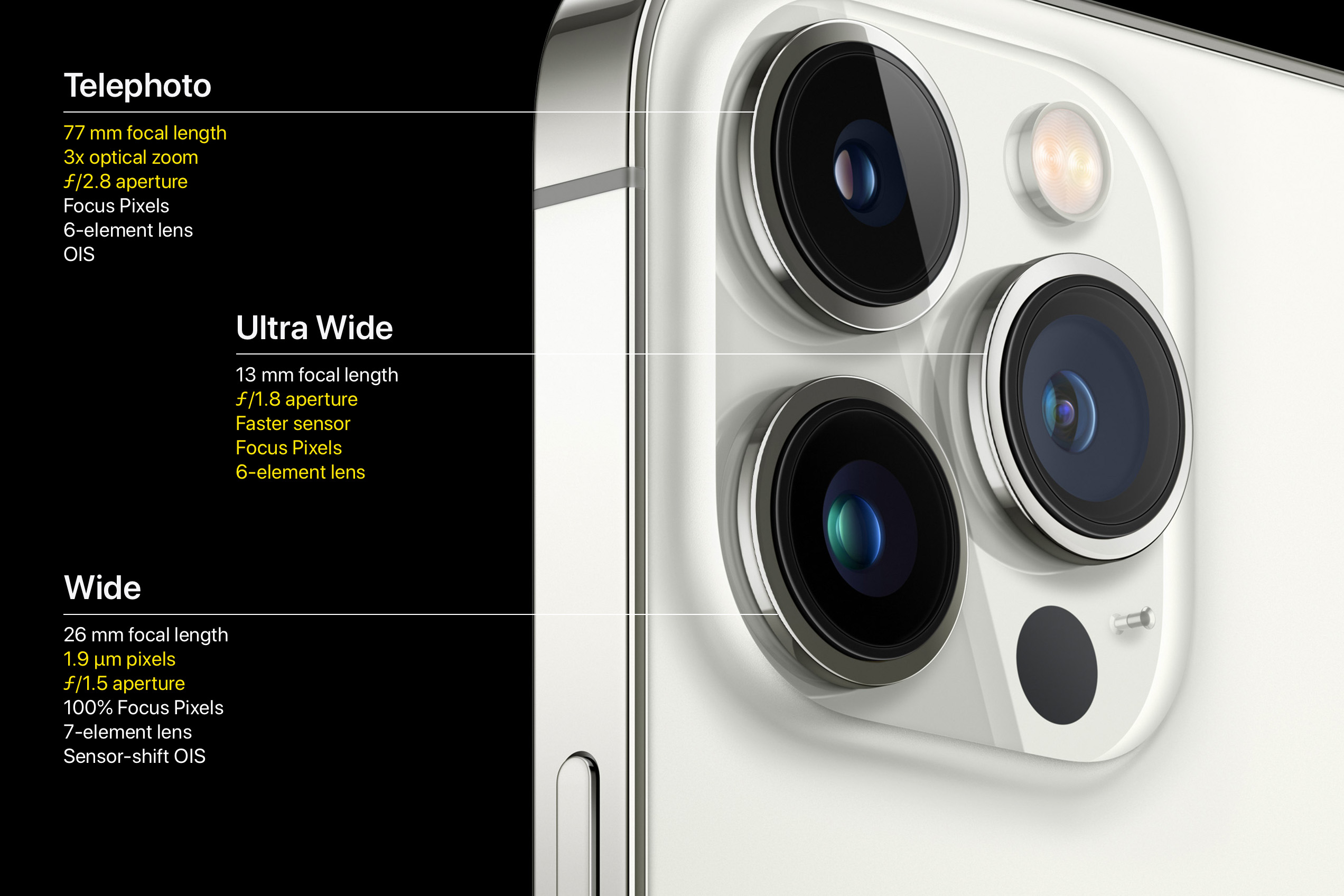
The iPhone 13 offers a balanced combination of performance, efficiency, and premium design, making it suitable for everyday use as well as advanced tasks. Key highlights include:
- Super Retina XDR display with excellent brightness and color accuracy
- A15 Bionic chip for fast performance and smooth multitasking
- Advanced dual-camera system with improved low-light photography
- Optimized battery life compared to previous generations
These features make the iPhone 13 a strong choice for users who want long-term reliability and smooth performance.
Key Takeaways
- Understand the features and specifications of the iPhone 13
- Learn the benefits of using Straight Talk Wireless
- Discover how to get better value for your money
- Explore the advantages of buying an unlocked iPhone
- Make an informed decision when choosing a mobile carrier
Overview of Straight Talk Wireless
For iPhone 13 users, selecting the right carrier is just as important as choosing the phone itself. Straight Talk Wireless is a prepaid carrier that offers multiple plans designed to fit different usage needs, from light users to heavy data consumers.
What Is Straight Talk Wireless?
Straight Talk Wireless operates as an MVNO (Mobile Virtual Network Operator), meaning it does not own its own network infrastructure. Instead, it uses major U.S. carrier networks such as:
- AT&T
- Verizon
- T-Mobile
This allows Straight Talk customers to benefit from wide coverage and reliable service at a lower cost than traditional contract plans.
How Does Straight Talk Work?
Straight Talk follows a simple and user-friendly system:
- Activation through a SIM card or eSIM
- No long-term contracts or commitments
- Plans that include talk, text, and data (subject to fair usage policies)
- No credit checks required for most plans
This straightforward setup makes Straight Talk accessible to a wide range of users, including students and budget-conscious customers.
Benefits of Choosing Straight Talk for iPhone 13
Using Straight Talk with an iPhone 13 comes with several practical advantages:
- Lower monthly costs compared to postpaid carriers
- Flexible plans that can be changed or canceled at any time
- Nationwide coverage powered by major U.S. networks
- Full compatibility with unlocked iPhone devices
These benefits make Straight Talk a smart option for users who want control, flexibility, and dependable service without being locked into a contract.
| Feature | Description | Benefit |
|---|---|---|
| Network Coverage | Uses AT&T, Verizon, and T-Mobile networks | Reliable coverage nationwide |
| Plan Flexibility | Variety of prepaid plans available | Choose a plan that fits your needs |
| Cost | Competitive pricing | Save money on your mobile service |
For iPhone13 users, Straight Talk is a great choice. It offers good coverage, flexibility, and is affordable. Knowing how it works and its benefits helps users decide on a carrier.
iPhone 13 Features and Specifications
The iPhone 13 comes with a range of well-balanced features that focus on performance, usability, and long-term reliability. From its high-quality display to its refined design and camera improvements, understanding these specifications helps you better evaluate the overall value of the iPhone 13 when used with Straight Talk Wireless.
Design and Display
The iPhone 13 features a modern, clean design that reflects Apple’s attention to detail and build quality. It is equipped with a 6.1-inch Super Retina XDR display, which delivers sharp text, rich colors, and excellent contrast for everyday use, media consumption, and gaming.
Thanks to OLED technology, the screen provides deeper blacks and improved brightness, making it comfortable to use both indoors and outdoors. The display is also protected with Ceramic Shield, which offers enhanced durability against everyday drops and scratches.
In terms of style, Apple offers the iPhone 13 in several elegant color options, including:
-
Starlight
-
Midnight
-
Blue
-
Pink
-
(PRODUCT)RED
This variety allows users to choose a finish that matches their personal taste while maintaining a premium look and feel.
| Feature | iPhone 13 |
|---|---|
| Processor | A15 Bionic |
| Battery Life | Up to 12 hours internet use |
| Storage | 128GB, 256GB, 512GB |
For more tips on using your iPhone 13, including setting it up with Straight Talk, check out Boost Mobile iPhone 13. They have lots of helpful resources.

“Trading in my old iPhone for the new iPhone 13 was a breeze with Straight Talk’s program. The process was straightforward, and I got a good deal on my new device.”
Before buying, check your current device’s trade-in value. This can help you save more money.
Setting Up Your iPhone13 with Straight Talk
To start using your iPhone 13 with Straight Talk, you need to do a few things first. This guide will help you get your device ready for use.
Step-by-Step Setup Guide
Setting up your iPhone 13 is easy. Here are the steps:
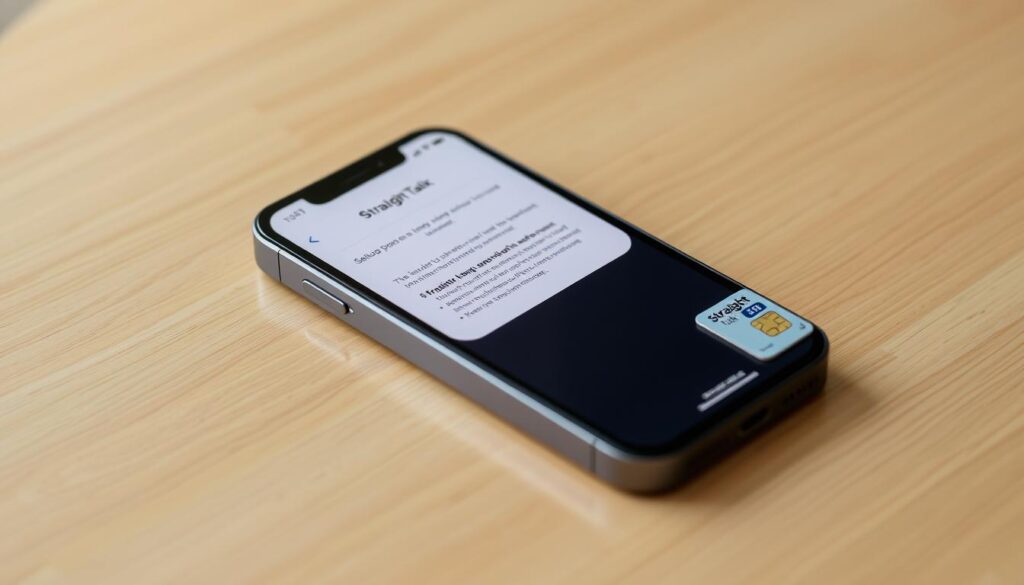
- Step 1: Put your Straight Talk SIM card in your iPhone 13. Make sure it’s off first.
- Step 2: Turn on your iPhone 13 and choose your language and country or region.
- Step 3: Connect to Wi-Fi or use your cellular to activate your device.
- Step 4: Follow the screen’s instructions to activate. You might need your Apple ID and password.
Transferring Contacts and Data
When setting up your iPhone 13 on Straight Talk Wireless, transferring your contacts, photos, and personal data is an essential step. Apple provides several secure and user-friendly methods to make this process smooth and reliable.
You can choose one of the following options based on your previous device and preferences:
-
iCloud Backup
Restore your apps, contacts, photos, and settings directly from an existing iCloud backup during setup. This method works wirelessly and is ideal if you previously used an iPhone. -
iTunes / Finder Backup
Connect your iPhone to a computer and restore your data using iTunes (Windows or older macOS) or Finder (macOS Catalina and later). This option is useful for users who prefer a local backup. -
Quick Start
Apple’s Quick Start feature allows you to transfer data directly from another iOS device by placing the two phones near each other. This is one of the fastest and easiest ways to move your information without additional tools.
Each method ensures your data remains private and intact while transitioning to your new iPhone 13.
Troubleshooting Common Issues
Setting up the iPhone 13 with Straight Talk is usually straightforward, but occasional issues can occur during activation or data transfer. Below are some common problems and practical solutions:
-
No network signal after activation
Restart your iPhone and confirm that the Straight Talk SIM card is properly inserted. If needed, reset network settings. -
Mobile data not working
Check that cellular data is enabled in settings and ensure your plan is active. Updating carrier settings may also help. -
Activation taking longer than expected
Activation can sometimes take several minutes. If delays persist, verify your IMEI and SIM details on Straight Talk’s website. -
Data transfer incomplete or stuck
Ensure both devices are fully charged and connected to a stable Wi-Fi network. Restarting the process often resolves the issue.
If problems continue, Straight Talk customer support can provide additional assistance to ensure your iPhone 13 is fully functional on their network.
| Issue | Solution |
|---|---|
| Activation failed | Check your SIM card and restart your device. |
| No signal | Make sure your device is activated and you’re in a coverage area. |
| Data transfer issues | Have a stable internet connection and restart the transfer. |
Getting Started with iPhone 13 on Straight Talk
By following the setup steps and tips outlined above, you should be able to activate and use your iPhone 13 on Straight Talk Wireless without difficulty. Once activated, you can enjoy the full capabilities of your device along with Straight Talk’s reliable coverage and flexible prepaid service.
Features of Straight Talk Plans
Straight Talk offers a variety of mobile plans designed to meet different usage needs. Whether you are a heavy data user, part of a household with multiple lines, or someone who values predictable monthly costs, Straight Talk provides options that work well with the iPhone 13.
Their plans focus on simplicity, affordability, and nationwide coverage—without long-term contracts.
Unlimited Plans Available
One of the most popular options from Straight Talk is its unlimited data plans. These plans are well-suited for users who rely heavily on their smartphones for daily activities such as streaming video, online gaming, video calls, and remote work.
Key benefits of Straight Talk unlimited plans include:
-
Unlimited talk and text
-
High-speed data (subject to fair usage and network management policies)
-
No overage fees or surprise charges
-
Consistent monthly pricing
These plans allow iPhone 13 users to stay connected throughout the day without constantly monitoring data usage, making them a practical choice for modern mobile lifestyles.
Straight Talk’s combination of unlimited options, flexible pricing, and compatibility with unlocked iPhones makes it a strong contender for users seeking value and convenience in a prepaid wireless plan.
These plans also include high-definition streaming and mobile hotspot. They’re perfect for those needing fast and reliable data. Learn more on the Straight Talk page on Swappa.
Data Speeds and Coverage Explained
Straight Talk uses AT&T, T-Mobile, and Verizon for coverage. This means you get reliable service across the US. Data speeds can change based on your location and network, but you’ll usually get fast 4G LTE.
They also use other networks to improve coverage. This means you’re more likely to have service where you need it.
Family Plans and Savings
For families or groups, Straight Talk has family plans. These plans can save you money by offering discounts for multiple lines. It’s a smart choice for those with many devices.
“Switching to Straight Talk was one of the best decisions we made. The family plan saved us a significant amount on our monthly bill, and the coverage has been great.” – A satisfied Straight Talk customer
Family Plan Options
Straight Talk’s family plans allow you to manage multiple lines under one account while maintaining flexibility for each user. With these plans, you can customize data usage and features per line, making it easier to match the plan to each family member’s needs.
Family plan benefits include:
-
Individual data allocations for each line
-
Centralized account management
-
Cost savings compared to separate single-line plans
-
Compatibility with devices like the iPhone 13
This level of customization makes family plans a practical solution for households looking to stay connected while controlling costs.
Customer Support for Straight Talk Users
Using an iPhone 13 with Straight Talk Wireless gives you access to multiple customer support options. Whether you need help with activation, plan details, or troubleshooting, Straight Talk offers several ways to get assistance.
Reaching Straight Talk Support
Straight Talk provides different support channels to fit various preferences:
-
Phone support for direct, real-time assistance
-
Online chat through the Straight Talk website for quick questions
-
Email support for non-urgent inquiries
Phone support is ideal for resolving complex issues, while online chat is convenient for fast answers without waiting on a call.
Online Resources and FAQs
In addition to live support, Straight Talk offers a wide range of online self-help resources. These include:
-
Frequently Asked Questions (FAQs)
-
Step-by-step user guides
-
Activation and troubleshooting articles
These resources help users quickly resolve common issues on their own, making it easier to manage their iPhone 13 and Straight Talk service efficiently.
With flexible family plans and accessible customer support, Straight Talk provides a well-rounded experience for iPhone 13 users seeking reliability and convenience.
| Resource | Description | Benefit |
|---|---|---|
| FAQs | Frequently Asked Questions covering various aspects of Straight Talk’s service. | Quick answers to common questions. |
| User Guides | Detailed guides on using your iPhone 13 with Straight Talk. | Step-by-step instructions for setup and troubleshooting. |
| Troubleshooting Tips | Tips and solutions for common issues encountered by users. | Self-help resources to resolve issues quickly. |
Community Forums for Help
There are also community forums for Straight Talk users. You can share experiences, ask questions, and get help from others. These forums are great for troubleshooting and learning from others.

With these support options, iPhone 13 users on Straight Talk can have a better experience. Whether you need direct help or like to solve problems yourself, Straight Talk’s resources are here to assist.
Understanding Straight Talk’s Coverage
It’s important to know about Straight Talk’s coverage before using your iPhone13. Straight Talk offers wide coverage, but it’s good to understand the details. This helps you see if their service is reliable for you.
Coverage Maps and Areas Served
Using Straight Talk’s coverage map is a great way to see if they cover your area. You can find their coverage map online. It shows where you can get reliable service.
4G LTE and 5G Availability
Straight Talk Wireless provides both 4G LTE and 5G coverage, allowing users to enjoy fast and reliable mobile data for everyday activities such as browsing, streaming, video calls, and online gaming.
For users with the iPhone 13, 5G support is a major advantage. The iPhone 13 is fully compatible with 5G networks, delivering faster download speeds, smoother streaming, and improved performance in supported areas. When 5G is not available, the device automatically switches to 4G LTE to maintain a stable connection.
Straight Talk’s 5G access depends on network availability and location, so coverage may vary by region.
How to Check Coverage in Your Area
Before choosing Straight Talk, it’s a good idea to confirm coverage where you live, work, or travel most often. Straight Talk makes this process simple through its online coverage checker.
To check coverage:
-
Visit the Straight Talk official website
-
Enter your ZIP code or city and state
-
View detailed maps showing 4G LTE and 5G availability
This tool helps you understand expected network performance and ensures Straight Talk meets your connectivity needs before activating your iPhone 13.
Tips for Maximizing Your iPhone 13 Experience
Once your iPhone 13 is fully set up on Straight Talk Wireless, a few smart adjustments can significantly enhance performance, battery life, and overall usability. Apple includes many built-in tools that help you get the most value from both your device and your mobile plan.
Optimizing your settings and understanding how your iPhone works with Straight Talk’s network can improve speed, reliability, and daily convenience.
Practical Tips to Get the Most Out of Your iPhone 13
Getting the best performance from your iPhone 13 on Straight Talk Wireless comes down to smart settings and everyday habits. The tips below are simple, effective, and designed to improve speed, battery life, and overall usability.
Optimize Battery Usage
Enable Optimized Battery Charging and regularly check Battery Health in Settings. These features help slow battery aging and maintain long-term performance, especially if you charge your phone overnight.
Manage Cellular Data Wisely
Monitor data usage by app and limit background activity for apps you rarely use. This is especially helpful when relying on mobile data rather than Wi-Fi, ensuring smoother performance and fewer slowdowns.
Enable 5G Smart Settings
Set your network mode to 5G Auto. This allows your iPhone 13 to switch intelligently between 5G and 4G LTE, balancing fast speeds with better battery efficiency on Straight Talk’s network.
Keep iOS Updated
Installing the latest iOS updates improves security, fixes bugs, and often enhances performance and battery optimization. Updates are specifically tuned to work efficiently with the iPhone 13 hardware.
Customize Notifications and Focus Modes
Use Focus Modes to reduce distractions during work, sleep, or personal time. Custom notification control can noticeably improve productivity and overall phone usability.
By applying these practical tips, you’ll enjoy smoother performance, longer battery life, and a more personalized experience. Straight Talk’s flexible plans combined with Apple’s optimized software make this setup a dependable choice for daily use.
Essential Apps for New Users
As a new iPhone 13 user, installing the right apps can significantly enhance your experience. The App Store offers a wide selection of apps tailored to productivity, entertainment, and everyday needs.
Recommended app categories include:
-
Productivity apps such as task managers and note-taking tools
-
Entertainment apps including streaming platforms and casual games
-
Utility apps for file management, navigation, and security
Choosing high-quality apps helps you get the most value from your device without unnecessary battery or data drain.
Using iCloud Services
iCloud is a powerful ecosystem feature that keeps your data synced across all Apple devices.
To maximize iCloud benefits:
-
Enable iCloud Backup to protect your data automatically
-
Use iCloud Drive to store and access files from anywhere
-
Turn on iCloud Photos to safely store and share your photos and videos
These tools ensure your information remains secure, accessible, and easy to manage.
Battery Conservation Tips
To extend daily battery life on your iPhone 13, small adjustments can make a big difference:
-
Lower screen brightness or enable auto-brightness
-
Disable Location Services for apps that don’t need constant access
-
Turn on Low Power Mode when battery levels are low
-
Review battery usage in Settings to identify power-hungry apps
By combining these battery-saving techniques with optimized network settings, you can comfortably use your iPhone 13 throughout the day without frequent recharging.
For more tips on maximizing your iPhone13 experience, consider exploring accessories that can enhance your device’s functionality and protection.
User Reviews and Feedback
Straight Talk Wireless has received a wide range of user feedback over the years. Many customers appreciate the affordable pricing and flexible prepaid plans, while others point out challenges related to customer support and account management.
Overall, reviews suggest that Straight Talk is best suited for users who prioritize value and coverage over premium customer service experiences.
Real Experiences from Straight Talk Users
Based on user reviews across well-known feedback platforms, some customers report issues such as:
-
Delays when contacting customer support
-
The need for multiple calls to resolve plan or billing concerns
-
Occasional confusion during plan changes or account updates
At the same time, many users state that once their service is active and working properly, the network performance is stable and reliable—especially when using devices like the iPhone 13.
For budget-conscious users, the overall experience is often seen as a fair trade-off between cost savings and occasional support-related inconveniences.
Common Praise and Criticisms
What Users Commonly Like
-
Competitive pricing with no long-term contracts
-
Strong nationwide coverage using major U.S. networks
-
Good data speeds for browsing, streaming, and daily use
-
Compatibility with unlocked phones, including iPhone models
Common Criticisms
-
Customer service response times can vary
-
Activation or billing issues may require follow-up
-
Limited in-store support compared to major carriers
If you are considering Straight Talk for your iPhone 13, these points are worth keeping in mind to set realistic expectations.
Frequently Asked Questions (FAQ)
Is the iPhone 13 compatible with Straight Talk?
Yes, the iPhone 13 is fully compatible with Straight Talk. You can confirm compatibility by using the device checker on the Straight Talk website or by contacting customer support.
How do I activate my iPhone 13 on Straight Talk?
You can activate your iPhone 13 through the Straight Talk website, mobile app, or by calling customer support. You will need your device’s IMEI number and a compatible SIM card.
What pricing and plans are available for the iPhone 13 on Straight Talk?
Straight Talk offers multiple prepaid plans, including unlimited talk, text, and data options. Pricing varies based on the plan you choose and any ongoing promotions.
Can I buy the iPhone 13 directly from Straight Talk?
Yes, the iPhone 13 can be purchased directly from Straight Talk’s official website or participating retailers. Trade-in options may be available depending on your device.
How can I check Straight Talk coverage in my area?
You can check coverage by entering your ZIP code or address on the Straight Talk website. Coverage maps show available 4G LTE and 5G service.
What customer support options does Straight Talk provide?
Straight Talk offers support through phone, online chat, and email. In addition, their website includes FAQs, guides, and troubleshooting resources.
Are there tips to get the best experience using iPhone 13 on Straight Talk?
Yes. Keeping iOS updated, managing data usage, using iCloud services, and optimizing battery settings can significantly improve your experience.
Can I transfer my contacts and data to my new iPhone 13?
Yes, you can transfer your data using iCloud, Quick Start, or a computer backup during setup.
What are the main benefits of choosing Straight Talk for iPhone 13?
Straight Talk offers affordable prepaid plans, wide coverage, flexibility with unlocked devices, and no long-term contracts—making it a solid option for users seeking value and simplicity.